
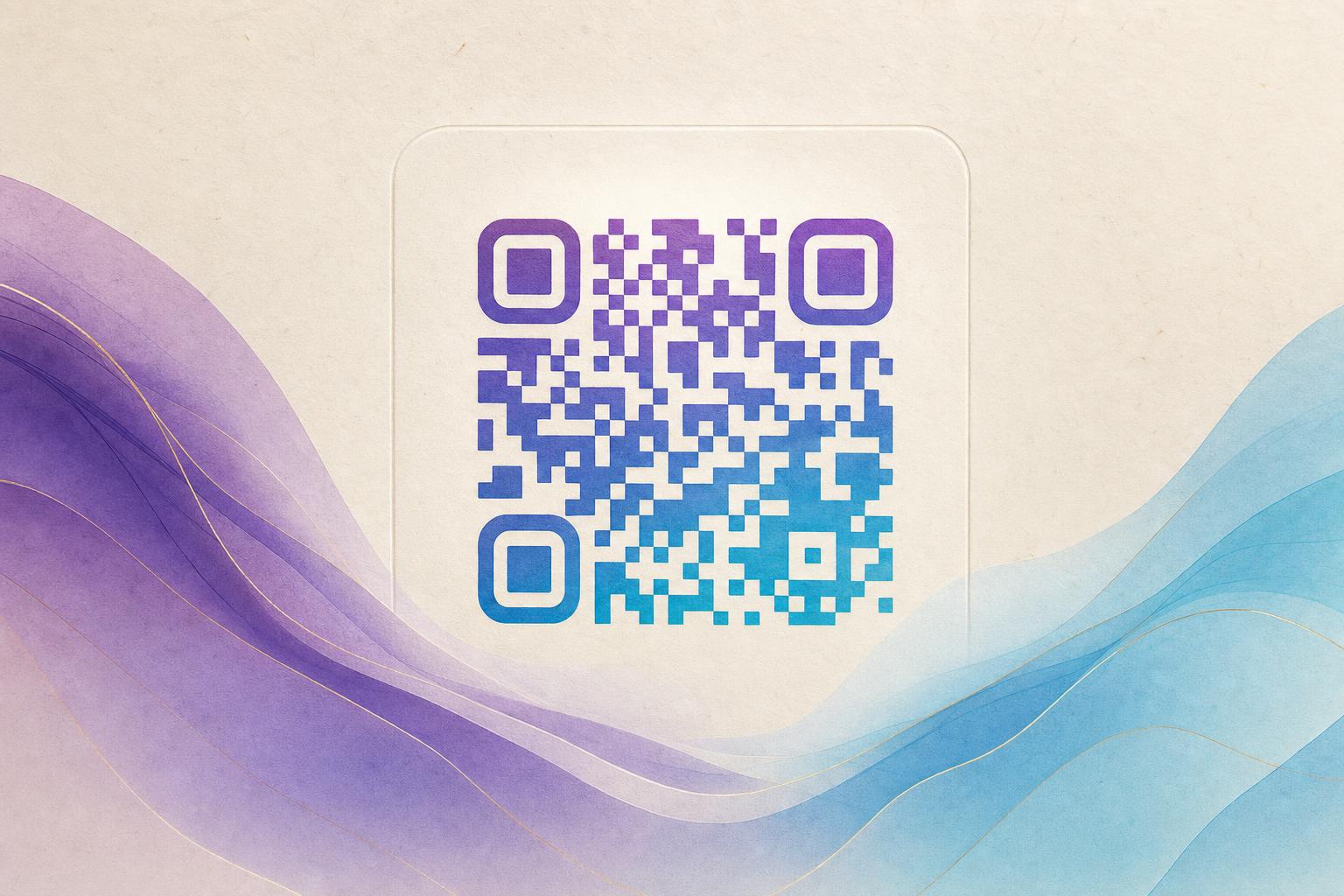
Looking for a free AI QR code generator? You've found it. With Aiqrdream's AI Art QR Code Generator, you can transform a plain QR code into a beautiful, scannable piece of art—completely free. In this guide, we'll show you exactly how to create your own AI artistic QR code in minutes, even if you have no design experience.
What Is an AI Artistic QR Code?
An AI artistic QR code (sometimes called an AI art QR) is a QR code that has been blended with AI-generated artwork. Instead of a boring black-and-white grid, you get a visually appealing design that still functions as a scannable code. The AI intelligently integrates the QR pattern into the artwork, so the code remains readable by smartphones while looking like a custom illustration.
These codes are perfect for:
- Business cards and flyers
- Posters and event promotions
- Product packaging
- Social media profiles
- Restaurant menus
And because they're generated with AI, you don't need to be a graphic designer to get professional-looking results.
Step-by-Step: Create Your Free AI Artistic QR Code
Follow these simple steps to generate your own AI art QR code for free.
Step 1: Go to the AI Art QR Code Generator
Open the AI Art QR Code Generator on Aiqrdream. No account or credit card is required—it's completely free to use.
Step 2: Enter Your URL or Text
Type or paste the link you want the QR code to point to. This could be your website, a social media page, a product page, or any other URL. You can also enter plain text if you prefer.
Step 3: Choose an Art Style
Select from a variety of AI art styles. Options may include abstract, watercolor, cyberpunk, nature, minimalist, and more. Pick one that matches your brand or the vibe you want to convey.
Step 4: Customize Colors and Patterns
Adjust the color palette to match your branding. You can also choose between different QR patterns, such as circular QR codes or styled QR codes. The tool lets you beautify QR code designs easily.
Step 5: Generate and Preview
Click the generate button and watch as the AI creates a unique artistic QR code. Preview the result to make sure it looks good and still scans correctly.
Step 6: Download and Share
Once you're happy with your design, download the high-resolution image. You can use it digitally or print it on materials. The QR code is yours to use anywhere.
Tips for Creating Scannable Artistic QR Codes
While AI art QR codes are designed to be scannable, a few best practices will ensure they work flawlessly:
- Maintain contrast: Make sure the QR pattern stands out from the background. Dark patterns on a light background work best.
- Keep it simple: Avoid overly complex artwork that might confuse the scanner.
- Test before printing: Always scan the QR code with multiple devices to confirm it works.
- Use a quiet zone: Leave some empty space around the code to help scanners detect it.
- Size matters: For print, ensure the QR code is at least 2 x 2 cm (0.8 x 0.8 inches) for close-range scanning.
Why Use an AI Art QR Code?
Traditional QR codes are functional but forgettable. An AI artistic QR code turns a utilitarian element into a brand asset. It can increase scan rates because people are curious and attracted to the design. It also adds a professional, creative touch to your marketing materials.
With Aiqrdream, you also get access to other powerful features:
- Dynamic QR codes: Update the destination URL anytime without changing the QR code image.
- Editable QR codes: Modify the design or link even after printing.
- QR analytics: Track scans, locations, and devices to measure campaign performance.
- Custom short links: Create branded short URLs for a more professional look.
- Custom QR domain: Use your own domain for QR codes to build trust.
These features make Aiqrdream a complete QR code studio for all your needs.
More Ways to Customize Your QR Code
Beyond AI art, Aiqrdream offers several other tools to make your QR codes unique:
- QR Fusion: Blend your QR code with a photo or logo for a seamless look. Try the QR Fusion tool.
- Animated GIF QR: Create eye-catching animated QR codes that stand out. Use the GIF QR tool.
- Circular QR codes: Generate stylish circular QR codes for a modern aesthetic.
- Hidden text art: Embed AI hidden text into your QR code for a secret message.
Best Practices for QR Code Marketing
To get the most out of your artistic QR codes, follow these marketing tips:
- Add a call-to-action: Tell users what to expect when they scan, like "Scan to view menu" or "Scan for 10% off."
- Use trackable QR codes: With dynamic QR codes, you can track scans and optimize your campaigns.
- Place strategically: Put QR codes where they are easy to scan—at eye level, on flat surfaces, and with good lighting.
- Keep the design on-brand: Use colors and styles that align with your brand identity.
- Test regularly: Check that your QR codes still work after printing and over time.
Frequently Asked Questions
Is the AI QR code generator really free?
Yes, Aiqrdream offers a free tier that lets you generate AI artistic QR codes without paying. You can create and download your QR codes at no cost.
Can I edit the QR code after generating it?
Yes, with editable QR codes, you can change the destination URL and design elements even after the code has been created.
Do artistic QR codes scan as reliably as standard ones?
When designed with proper contrast and tested, AI artistic QR codes scan just as reliably as standard QR codes.
Can I use my own logo in the QR code?
Absolutely. The QR Fusion tool allows you to blend your logo or photo into the QR code for a custom branded look.
Start Creating Your AI Art QR Code Today
Ready to make your QR codes stand out? Head over to the AI Art QR Code Generator and create your first free AI artistic QR code in minutes. Whether you're a business owner, marketer, or just someone who loves cool tech, Aiqrdream makes it easy to beautify QR code designs and impress your audience.
Remember, a QR code is more than a link—it's a chance to make a lasting impression. With AI art, you can turn a simple scan into a memorable experience.